Build the product your users are waiting for.
One button in your app, and your users tell you what's missing, by voice or in writing, right on the screen they're on. Claude collects their feedback, helps you work through it and replies to them. They see their idea shipped, and they stay.
Install it with Claude
Paste this line in your terminal, at the root of your project. Claude Code opens and does the rest.
claude mcp add --transport http talkieback https://mcp.talkieback.com/mcp;
claude "Install Talkieback in this project…"
- Claude connects Talkieback and reads your code: the stack, the colors, the language.
- You allow access. Your account is created along the way, with no password.
- Claude matches the button to your product, installs it and checks that it works. You review before you ship.
During the beta, you need an invitation: ask for one here. Already in Claude Code?
Everything lands in one place
Your team's inbox: every feedback with its transcript, the screen, the device and the version. You reply in one move, and the user is notified.
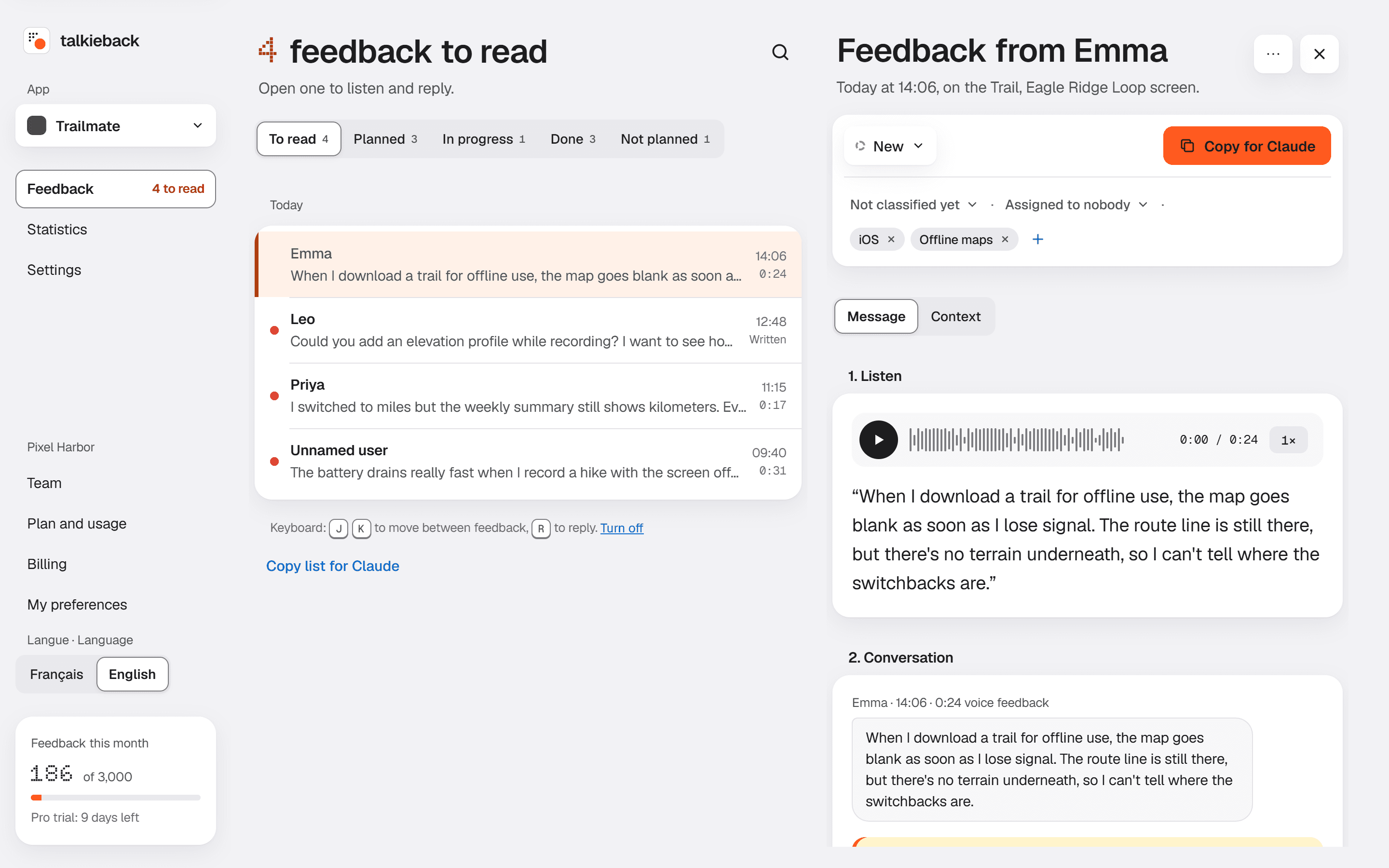
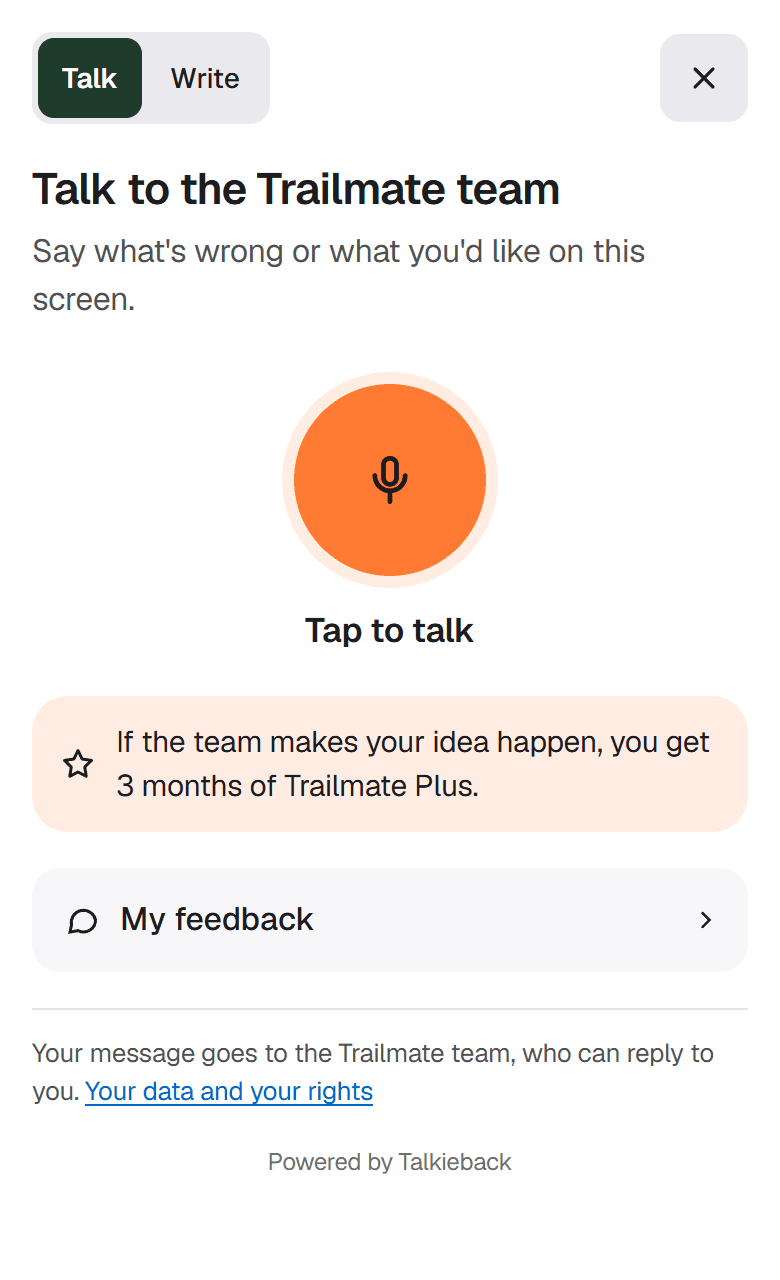
Talkieback is available in English and French.
What Talkieback gives you
- The right product
You know what to build
Needs come from the people using the app, at the moment they get stuck. Each feedback arrives with the screen, the device and the version. You decide on facts, not guesses.
- Faster
Your AI does the heavy lifting
With the MCP server, Claude or another agent reads the feedback to handle, updates it and replies. Or copy a feedback in one click, ready for your AI. From feedback to fix, without retyping.
- Loyal users
They build it with you
Giving feedback takes ten seconds. Users follow their request, get notified as it moves, and rewarded if you like. They care about the product they helped make.
From message to reply, without leaving the app
An example with DuffleCards, a card game that uses Talkieback.
Camille speaks
She taps the button and says what's wrong. The page, the device and the app version are attached automatically.
The team replies
You read the transcript, listen if needed, and reply to Camille alone. You also tell her where her request stands.
Camille is notified
A notification, or an e-mail if she'd rather not. She taps, and the app opens on the reply.
From feedback to fix, in minutes
Connect Talkieback to Claude, or to any agent that speaks MCP. It collects the feedback to handle, sorts it, suggests a fix in your code, then replies to the user and updates the status. You review, you approve.
- Read new feedback, search what users say
- Reply, move a feedback to Planned, In progress or Done, announce the reward
- Leave an internal note the user doesn't see
Without an agent, “Copy for Claude” turns a feedback, or the whole list, into Markdown: transcript, screen, device, version and thread. Ready to paste into Claude, ChatGPT or your editor. The MCP server is included in Pro and Business.
# Feedback from Camille · DuffleCards

- Status: New
- Screen: Album
- Device: iPhone 13 mini, iOS 18
- App version: 2.4.1

## Voice message, 0:22, transcribed

> When I flip a card in the album,
> the Open button disappears behind the bottom bar…
They get into it, your product gets better
One button, one voice message, sent. Then they see their request move and get notified at each step. When their idea ships, they know.
Turn on rewards if you like: credits, a free month, coins in your game. Talkieback announces it in the panel and the notification, and tells your app by webhook so it can credit them. Your users feel heard and come back with the next idea.
The widget speaks your users' language
17 languages, from English to Japanese. The widget picks the one your app or the browser uses, and anyone can switch. E-mails, notifications and the status page follow the same language.
You stay in control: every text in the panel can be customized, in a formal or casual tone.
- Français
- English
- Deutsch
- Italiano
- Español
- Nederlands
- Português (Portugal)
- Português (Brasil)
- Čeština
- Slovenčina
- Polski
- Magyar
- Türkçe
- Русский
- 中文(简体)
- 日本語
- 한국어
Without Claude, one line to paste
On a website or web app, just before </body>. Nothing to host, no storage, no e-mail sending. Talkieback then checks that everything works.
Also for React Native, Flutter, Swift and Kotlin. Read the docs
<script src="https://cdn.talkieback.com/w.js"
        data-app="pk_live_…" async></script>
Free to start
Voice, replies and notifications included, no card needed. Then Solo at €5 a month, for 100 feedback a month.
Join the beta
Talkieback is invitation-only, and free during the beta. Leave your e-mail: we will send you a link to create your account.